Using Plugins
Default usage and activating plugins with the carbon.txt validator
Default usage
By default, the carbon.txt validator does not run with any plugins activated.
You can run the validator as a server, which exposes its functionality over an API.
Requires the [web] extra
The serve command requires Django, which is part of the [web] extra. Install it first:
pip install "carbon-txt[web]"
Running the command below:

```text
carbon-txt serve
Will give you a development server listening for inbound requests:
 ----------------

Watching for file changes with StatReloader
Performing system checks...

System check identified no issues (0 silenced).
January 14, 2025 - 11:56:32
Django version 5.1.2, using settings 'carbon_txt.web.config.settings.development'
Starting development server at http://127.0.0.1:8000/
Quit the server with CONTROL-C.
Visiting the local host will show the endpoints exposed by the API, using an interface you can try out in a browser, or interact with, using your preferred HTTP client, or API Tester.
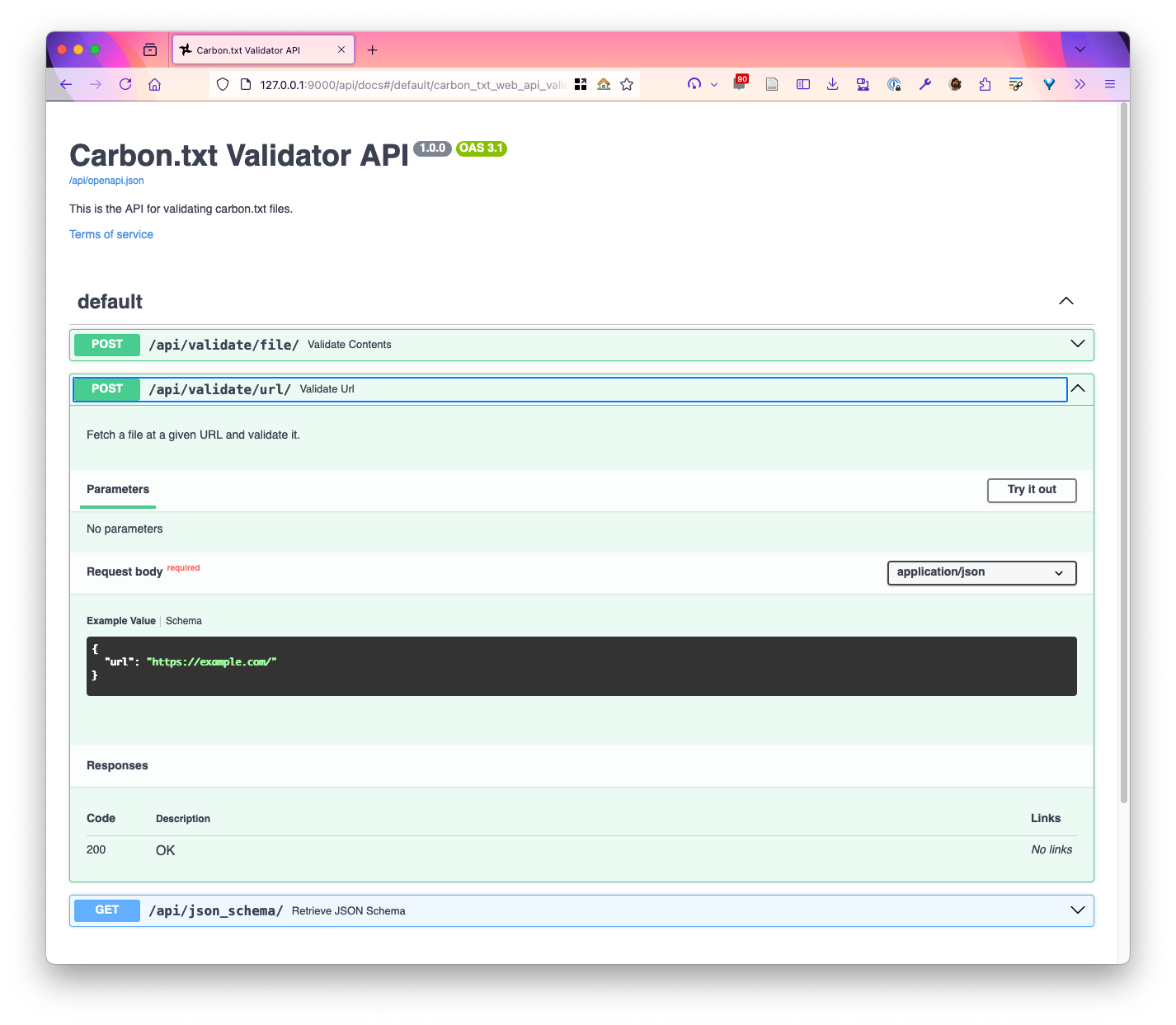
For example, sending a POST request like the one below
curl -X POST \
  -H "Content-Type: application/json" \
  -d '{"url": "https://used-in-tests.carbontxt.org/carbon-txt-with-csrd-and-renewables.txt"}' \
  http://127.0.0.1:8000/api/validate/url
Should return output, that (once formatted) similar to the JSON below:
{
  "success": true,
  "data": {
    "upstream": {
      "services": []
    },
    "org": {
      "disclosures": [
        {
          "domain": "used-in-tests.carbontxt.org",
          "doc_type": "csrd-report",
          "url": "https://used-in-tests.carbontxt.org/esrs-e1-efrag-2026-12-31-en.xhtml"
        }
      ]
    }
  },
  "document_data": {},
  "logs": [
    "Attempting to validate url: https://used-in-tests.carbontxt.org/carbon-txt-with-csrd-and-renewables.txt",
    "Trying a DNS delegated lookup for URI: used-in-tests.carbontxt.org",
    "None found. Continuing.",
    "Checking for a 'CarbonTxt-Location' header in the response: https://used-in-tests.carbontxt.org/carbon-txt-with-csrd-and-renewables.txt",
    "None found. Continuing.",
    "Carbon.txt file parsed as valid TOML.",
    "Parsed TOML was recognised as valid Carbon.txt file.\n"
  ]
}
Usage with core plugins - extending functionality with the Greenweb CSRD plugin
Requires the [csrd] extra
Processing CSRD reports requires Arelle, which is part of the [csrd] extra. The web server additionally requires the [web] extra. For both, use:
pip install "carbon-txt[csrd,web]"
```{admonition} Info
:class: info

This page shows examples of usage using `ACTIVE_CARBON_TXT_PLUGINS="carbon_txt.process_csrd_document"` to set an environment variable on the command line.

In a real deployment, this is much more likely to be set in config, or in a '.dotenv' file.
The validator is extendable though, so let’s activate a plugin, and see what is now returned when we make the same request.
With the new plugin activated, we can now hook into the lifecycle of serving the API request with our plugin. There is a specific hook, detailed out in our hooks list, process_document, that is fired whenever a link to a document.
Our new plugin uses this hook to read the linked CSRD report, and add the results of parsing it to the output.
So when we now run the carbon.txt server like so, making it clear the plugin is active:
ACTIVE_CARBON_TXT_PLUGINS="carbon_txt.process_csrd_document" carbon-txt serve
Our request now returns extra output in the document_data part of the object. For every plugin that is active, and has returned new data, we see their processing results. In our case, the active plugin, csrd_greenweb is returning the results of querying for green energy related datapoints from the linked CSRD report:
{
  "success": true,
  "data": {
    "upstream": {
      "services": []
    },
    "org": {
      "disclosures": [
        {
          "domain": "used-in-tests.carbontxt.org",
          "doc_type": "csrd-report",
          "url": "https://used-in-tests.carbontxt.org/esrs-e1-efrag-2026-12-31-en.xhtml"
        }
      ]
    }
  },
  "document_data": {
    "csrd_greenweb": [
      {
        "name": "Percentage of renewable sources in total energy consumption",
        "short_code": "PercentageOfRenewableSourcesInTotalEnergyConsumption",
        "value": 0.268,
        "unit": "percentage",
        "context": "item.modelDocument.basename - 9027",
        "file": "https://used-in-tests.carbontxt.org/esrs-e1-efrag-2026-12-31-en.xhtml",
        "start_date": "2026-01-01",
        "end_date": "2027-01-01"
      },
      // snip, lots of extra data points
      },
      {
        "name": "Consumption of self-generated non-fuel renewable energy",
        "short_code": "ConsumptionOfSelfgeneratedNonfuelRenewableEnergy",
        "value": "550000",
        "unit": "",
        "context": "item.modelDocument.basename - 9000",
        "file": "https://used-in-tests.carbontxt.org/esrs-e1-efrag-2026-12-31-en.xhtml",
        "start_date": "2025-01-01",
        "end_date": "2026-01-01"
      }
    ]
  },
  "logs": [
    "Attempting to validate url: https://used-in-tests.carbontxt.org/carbon-txt-with-csrd-and-renewables.txt",
    "Trying a DNS delegated lookup for URI: used-in-tests.carbontxt.org",
    "None found. Continuing.",
    "Checking for a 'CarbonTxt-Location' header in the response: https://used-in-tests.carbontxt.org/carbon-txt-with-csrd-and-renewables.txt",
    "None found. Continuing.",
    "Carbon.txt file parsed as valid TOML.",
    "Parsed TOML was recognised as valid Carbon.txt file.\n",
    "csrd_greenweb: Processing supporting document: https://used-in-tests.carbontxt.org/esrs-e1-efrag-2026-12-31-en.xhtml for used-in-tests.carbontxt.org",
    "carbon_txt.process_csrd_document: CSRD Report found. Processing report with Arelle: domain='used-in-tests.carbontxt.org' doc_type='csrd-report' url='https://used-in-tests.carbontxt.org/esrs-e1-efrag-2026-12-31-en.xhtml'"
  ]
}
We also see extended output in our logs, showing logging from the new csrd_greenweb plugin.
Using External plugins
If you want to use external plugins hosted on a repository like Pypi, you only need to install them to your python environment, and they are picked up automatically. To use the carbon-txt-download-disclosures when you run the carbon.txt validation server or CLI, install the package like so:
python -m pip install carbon-txt-download-disclosures
You will then be able to see the plugin in your plugin list:
carbon-txt plugins
And its hooks will be fired when you validate files, so if you run the validate file command:
carbon-txt validate file https://my-domain.com/carbon.txt
Then the carbon-txt-download-disclosures plugin will ‘hook into’ the process_document hook and download local copies of linked files, in a directory called carbon-txt-downloads.
tree

└── carbon-txt-downloads
   └── my-domain.com
       └── linked-disclosure-report.pdf